

Club results
Club answers the question the class-by-class view cannot: how is my club doing? Pick a club and you get all of its runners in one table, whatever class each of them entered — the view a coach opens to see who is still out on the course, and the one a club member opens to follow teammates scattered across a dozen classes. The tab sits beside Results and Live feed above the table on every event.
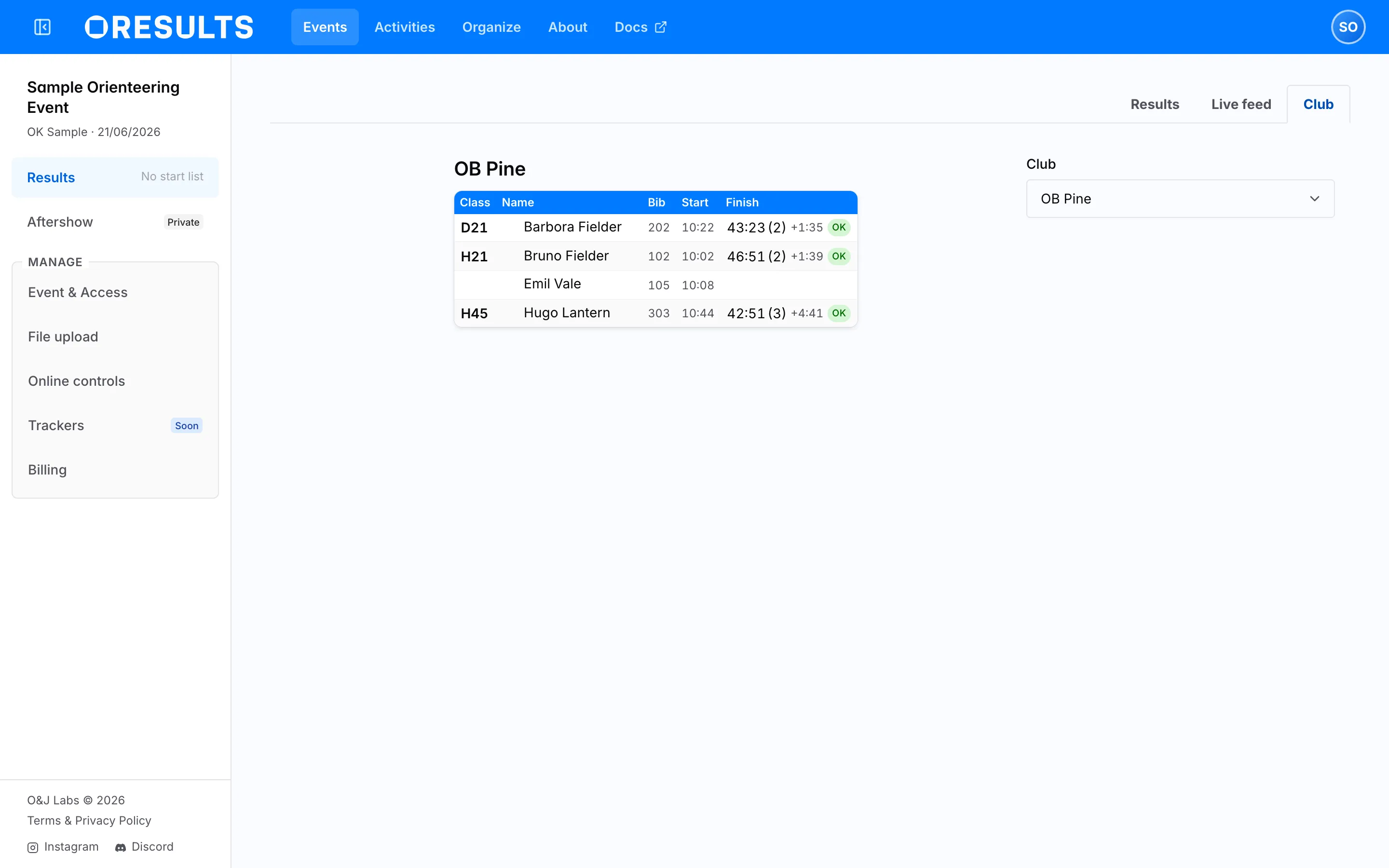
Choose a club
Section titled “Choose a club”The club selector is beside the table on a wide screen and above it on a narrow one. It offers every club that has a runner on this event, alphabetically, with clubs whose name begins with a digit after the rest and runners entered without a club collected at the end under No club. Type into the selector to narrow a long list.
Your choice goes into the address as a club parameter, so the link in your address bar always reproduces the club you are reading, and moving to another tab of the event keeps it.
Open the tab without a club in the address and OResults picks one: the club you last read on this event, or else the club you last read on any event, or else the first club in the list. That memory is kept in your browser, so another device or a private window starts from the first club instead.
How the table is grouped
Section titled “How the table is grouped”Runners are grouped by class, one block per class, in the same order the classes are listed on Results; inside a block they keep the order they hold in that class’s own result list. A rule separates one class from the next, and the class name on the first row of each block links to that class on Reading the results.
A row carries the runner’s name, their bib number when at least one runner of the club has one, their start time, and their finish time with its status badge — see Status badges on the Reading the results page for what each badge means. There are no split times here; follow the class link for those.
A relay is grouped one level deeper. Each class block holds its teams, sorted by team name, and under a team come its legs in order, with the leg number instead of the class name in the first column. A relay has no start and no bib column; the time column is headed Leg Time / Team Loss, and the Diff column after it carries the team’s change of place on that leg.